Showing posts with label Caregiver Aids. Show all posts

Friday, April 1, 2016

Caregiver Aids #19: Handsfree Smartphone - UPDATE

Front view of Skip's wheelchair (sans Skip) with Moto X Pure phone mounted on stalk

View from the back (note: the fabric on the chair's headrest pulls Skip's hair so I got her a shower cap as a cover. Problem solved.)


Yesterday, after writing my last post, I dug out Skip's phone and got it charged up. 

This morning we tried a few things out with it. Skip said, "listen up, Moto," and it beeped to life. First, she called me. The call went through and it defaulted to speakerphone so Skip could hear me. Great! Then she called HM, her primary aide, to wish her a happy birthday. Worked like a charm as well.

But what about answering the phone? Sometimes when I go to Foxwoods, I leave there pretty late. I call her when I'm on my way home so she knows when to expect me. It would be great if I called her cell and she answered ... most of the time she can't get the buttons to work to answer our landline phone so this would be an excellent alternative. Only thing is, you can't seem to answer the phone without hands. There is a command, "talk to me," that notifies you for the next 30 minutes of any texts or calls you get. We'll see if that allows her to answer, but obviously it's bound by a time limit and of only limited applicability. Worst case is, when she can't answer the phone, she can wait for it to stop ringing and just call the person back. .

Now, it's on texting.

Thursday, March 31, 2016

Caregiver Aids #19: Handsfree Smartphone

I did a caregiver aid entry (#15) for a panic pendant, which Skip had for a number of years. I canceled it some months back for 2 reasons. First, I doubted Skip would be able to press the big button on the pendant hard enough to trigger a call out for help. Second, they raised their monthly monitoring fee without giving us any warning, which is just terrible customer service.

So I needed to find an alternative for her to use in an emergency. But while I was at it, she also could use a tool that would allow her to make calls, send text messages and control other devices, such as the tv (since the remote is very, very difficult for her to use).

I thought a smartphone was a no-brainer for all of this. I wasn't sure which phones really had handsfree operation, so I thought we could benefit from someone with more technical knowledge. I called Easter Seals to see if they had someone who could help us identify Skip's requirements and find a tool or tools to meet them. They sent someone out who decided that Skip's computer was the best way to go, even though I disagreed, since she wouldn't be able to use it when she was lying in bed. Nonetheless, he tried out a head mouse, which allows you to move your mouse around the screen with head movements, which Skip didn't like. He tried out Dragon Naturally Speaking with a microphone, which Skip had trouble with. She'd do all right with the commands when he was here for training and then they'd drop out of her brain after he left. D'oh!it l

It looked like the research for the handsfree phone was back in my court. I use a Motorola Droid Mini (I love its small size) which does have handsfree capabilities. I can wake it up merely by stating "OK Google" and then give it commands. I can make calls, send texts and find out how old Sophia Loren is (81, if you were wondering). So, I thought all Motorola phones had this capability. Nope. Only Droids and the Moto X. I found this out after buying an inexpensive Motorola phone for Skip. Again, d'oh!

I got her a Moto X. It's a big phone, but that is a benefit for her so she could see the screen if it was mounted on a stalk attached to her wheelchair or hospital bed rail. We trained it to recognize her voice (and her lovely Boston accent) so she could wake it up and give it commands. She did get the hang of it. So she could use it to send texts to me and friends, etc.

Right now, though, she's not using it. I'm not sure what we need to do to motivate her to use it enough so she is comfortable with its features and takes advantage of them. After all, it's only a matter of time before more and more apps are added or improved that will allow her to control more through the phone -- such as the cable box, which will give it even more utility for her.

Yesterday, I saw a cute ad on tv with Cookie Monster advertising that the iPhone 6S has handsfree capabilities. Before, you could use Siri in handsfree mode, but first you needed to wake up the phone with your hand to do so or it had to be plugged in (I guess listening for "Hey Siri" used up a lot of battery). For that reason, I didn't consider an iPhone when looking at possible smartphones to get Skip. Looks like that may have changed for those trying to figure out what's possible today.

I'm getting out the Moto X and charging it back up for Skip to practice on and use. We're going to Atlantic City in 3 weeks and she'll need to have a device to reach me when she's in the hotel room alone at night. She goes to bed early (can you say 8?) and I'll be up for hours more being a degenerate gambler in the casino. I want her to have a way to reach me should an emergency arise.

In summary, today, your options for handsfree smartphones are: Motorola Droids, Moto X and iPhone 6S. This list will only grow longer, I am sure. I do see the smartphone as a great tool for Skip, and she claims to as well, we just have a few hurdles to get over first.

Sunday, May 25, 2014

Caregiver Aids #18: The Hydrant

Hi, all! I see it's been 9 months since my last post. All is well here in the land of Cranky and Skip, except for the inexorable robbing of functionality that comes along with progressive MS. Skip's hands are weakening, slowly but surely, and she is no longer able to hold up and drink from a 12-oz water bottle topped with a sports cap. She's been using that method of drinking water for years and years. I found on allegromedical.com a product called the hydrant:


As you can see, it's a large bottle you fill with water. At the end of the hose, there's a mouthpiece with a small cut in it. The cut opens when you bite down on the mouthpiece but otherwise stays closed. For Skip, we clip the hose to the front of her shirt. Then all she has to do is grab the hose and get it into her mouth to get a drink.

In my opinion, they're expensive for what they're made of -- about $25 on Allegro Medical and a bit more on Amazon -- but they're the only product of their type I've found. Replacement hoses are available for about $7 or $8, which is good, because we rinse the hose every day but don't want to wash it with soap as we'll never get it completely rinsed out.

Skip was resistant to it at first as she hates change and hated how it demonstrated growing weakness in her hands. Now she is totally comfortable with it and uses it both in bed, hanging from a rail, and in her chair, hanging from the back, similar to the second picture, above.

Thursday, November 8, 2012

Caregiver Aids #17: Combination Door Lock


So you're a caregiver. So you have people coming to your home to help your loved one. Sometimes you're not there when they arrive and your loved one can't answer the door. Do you leave your door unlocked for all to enter, whether wanted or not? Do you hide a key somewhere, like under the doormat?

This handy little deadbolt with a combination lock can be the answer to all your troubles.

You can assign up to 19 4-digit codes to unlock the door. This way, each person that comes to the house can have his/her own code. When that person is no longer a part of the "caregiving team" you can delete the code. 

In our case, during those rare times when we're both out of the house, we can lock the doorknob and that will stop access by those who have a combination to open the deadbolt. 

There are lots of other relatively inexpensive home access options, including locks that can be wirelessly controlled. I didn't entertain using those for Skip because she has so much trouble with her hands, operating a remote entry system wouldn't have worked for her. This gives us what we need without Skip's hands having to be part of the solution.

Thursday, July 26, 2012

Caregiver Aids #16: DayLite Sling


When I was perusing the Surehands site (I believe it's called Handimove) in advance of purchasing our newest lift system, I noticed they had a new kind of sling which they call the DayLite Sling. It's specifically designed for people who spend a lot of time sitting on their sling, which admittedly happens to Skip. Her regular sling that she uses day in and day out cannot be removed once she's seated in her chair. I've always suspected sitting on the mesh sling reduces the effectiveness of the uber-fancy Roho cushion she has. Roho cushions are filled with little air bladders that give more pressure relief than your average wheelchair cushion.
I was intrigued by the DayLite sling and the salesguy who came to check out our new place brought one with him for me to look at. The key differences between this sling and conventional slings are:
  • It uses parachute fabric which is light and smooth. Also wicks away sweat from the skin. Typical slings are made with a none-too-soft mesh or a sueded fabric.
  • The sling has extremely flat seams so there's less possibility that a sore could develop where a seam meets the skin.
  • It's made in a split leg design so it can be easily removed from under the patient if desired.
  • The sling features batting in the legs so there's less likelihood of bunching when placed under the patient's thighs.
Let me just say I was taken aback by the cost of this item -- $450! However, if it delivered on its promise, I figured it would be much better for Skip to use it day in and day out.
Amazingly, it delivers! It is the best sling I've ever used by far. By a mile. I've always hated using split leg slings. Skip has only used them in the past when she was going out and wanted to be sling-free in her chair. Putting the sling back under her before transferring from wheelchair to bed was somewhat of an ordeal and often resulted in less than smooth transfers. In fact, once the transfer went so wrong, I had to call the fire department to come over and help me get Skip from the half-in, half-out position she once got caught in with a split leg transfer gone wrong. With the DayLite Sling, the legs easily slide under Skip for correct placement due to the slippery fabric. The sling legs do not bunch and provide good support under her thighs.
I still can't believe how much it cost but I rationalize the expense by reminding myself how much better this design is for Skip and how long it's expected to last. I expect we'll still be using this particular sling when we see 2022.

Friday, May 18, 2012

Caregiver Aids #15: Panic Pendant

"Help me, I've fallen and I can't get up!" That's how many of us were first introduced to panic pendants. Basically, it's a device that hangs around the user's neck (or is clipped somewhere convenient) that can be used to notify a monitoring service that you're in trouble.

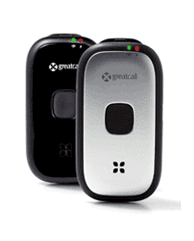
The one we have today is pretty limited, with no ability to speak to a rep. All it does is alert the security folks that Skip needs help and contacts the police to come to our house. We've had it for about 3 years and she's never used it, fortunately.

The 5Star Responder


Moving, I figured we'd look at a more up to date device that, at a minimum, included the ability to converse with the call center. The Jitterbug folks, who market a cell phone that's easy for seniors to use, have just introduced the 5Star Urgent Responder. It's basically the size of a folding cell phone and works without a base station. It has a big button on it. You press the button to reach a rep or, if you press it for a long time, it'll call 911 directly. Because it comes installed with a GPS and isn't tethered to a base station, it's usable pretty much anywhere, not just inside our home. The gadget costs about $50 with an activation fee of $35 and a monthly service fee of $15. The monthly service fee is about half of what other services typically cost, though most of those services give you all the equipment without additional charge. We'll break even by paying for the equipment in about 6 months and, of course, we'll need this service for far longer than that.

Like a cell phone, this will need to be charged regularly. It goes for about 3 days without recharging. I can just charge this when I'm at home and make sure it's back with Skip before I go gallivanting off to do something outside, like take the dogs out to pee.

I'm thinking we'll give this one a try.

Sunday, May 13, 2012

Caregiver Aids #14: Video Baby Monitor

Why didn't I think of this before?

Skip spends a lot of time in the bedroom. I am in there with her quite a bit, but am often elsewhere in the house or garage. And, now that I've started my new part-time job, I'm working downstairs (here and there) in the family room, so I can close the door and cut off the sound of dog barking while I'm on the phone. Basically, I'm often out of earshot. When Skip wants something, I hear mumble, mumble, mumble, occasionally catching a word or two. Sometimes she calls my cell phone. So, I have to go into the bedroom to find out what Skip needs. The call out for assistance (that I perceive as a "come here now" demand) followed by the need to perform the task, which I often view as trivial (but face it, Skip can't get it done without my assistance), can trigger crankiness. I'm wondering why this isn't listed as a cranky reason.

When I was still employed full-time, we briefly tried a walkie talkie to communicate between rooms. Unfortunately, Skip's hands don't work well enough to operate the buttons so the experiment was a failure. I resigned myself to being summoned by mumble, mumble, mumble for the years to come.

There's a jewelry store ad running on tv that uses a video baby monitor as a prop in the story. I knew there were audio baby monitors, which I assumed only communicated one-way, but never thought that there were video ones. I took a brief look on Amazon to find a huge array of video monitors, but didn't make a decision on which to purchase. Skip and I talked about how she could signal me by waving her hand so, even if I was on the phone, I'd know she needed me. Last night, we watched an episode of The Mentalist on the DVR and saw a baby video monitor used as a plot device. This time, I saw it included 2-way communication, which I didn't realize existed, but which makes sense if I'd thought about it.

So, today I ordered the setup above on Amazon. It's got all the features I'm interested in plus a few we'll never use. Interesting features: 2.8" video monitor, mute on my end, wireless connection up to 600', secure connection to protect privacy, 2-way communication. Unnecessary features that parents will like: infrared camera for night visibility, in-room temperature monitor and 5 pre-loaded lullabys. The info on Amazon said you can use the 2-way communication to sing or speak to your baby. I've already warned Skip she'll be hearing my singing soon! Best feature of all: it's returnable for up to 365 days, as Amazon has a special return deal for baby items. So, if it turns out not to meet our needs, we can return it and try a different one.

Sunday, March 28, 2010

Caregiver Aids #1a: a New Way to Transfer

My very first caregiver aids post was about the Surehands lift system we have in the bedroom and bathroom. To me, it is the most important aid we have. (The modified Honda Element, aka the Toaster, runs a very, very close second.) It is saving my back and it is saving Skip from falls.

The lift system as we had it set up used what's called a body support to hold Skip during the lift and transfer. The first post shows the lift motor and body support as it was set up in our bedroom last year. Below are a couple of snaps from the Surehands web site. When Skip got home from the hospital, the body support hurt her shoulders when lifting. We're not sure why. It certainly wasn't due to heavier weight, as she'd dropped 20 or 30 pounds while hospitalized. Nonetheless, we needed a different approach.


We tried using a sling and found that it worked fine. We originally started with a full body sling that holds Skip securely in a hammock style. The sling is made with mesh as shown in the second sling photo. Even though the polyester mesh feels fairly rough to me, Skip never complained about the feeling of it on her skin. After a few lifts, we had a good routine for getting the sling well positioned under Skip on bed before the lift and placing the hooks from the chains at the right level of each strap (there are 3 different spots on the strap for hanging the hook). The only problem with it is that it was impossible to remove the sling once Skip was in the chair. You can see the sling on the chair in the photos from the Skipping Out and About post a few weeks ago.


Skip's physical therapist, who was with us during our first try with the full body sling, suggested we look at a divided leg sling. The design allows for the removal of the sling once in the wheelchair and then, most importantly, it can be put back in place when Skip's in the chair. The user's guide shows putting the sling on in the wheelchair with two assistants, but I was able to handle it by myself without issue. The key is having the two long straps go underneath Skip's legs to hold her place safely while transferring. She's commented that she doesn't feel quite as secure in the divided leg sling while transferring, but you can tell she can't fall out of it. Also, I thought the fabric of this sling would be more comfortable for her, as it's got a soft nap like suede, but she did mention that it was a bit more uncomfortable than the big sling's mesh. It looks like our routine has settled into using the big hammock sling when Skip's staying home and using the divided leg sling when we're going out, so she doesn't have the big sling draped around her wheelchair when we're out and about.


Below is an example of how a person is positioned in a sling (I didn't ask Skip to pose for this post!)


Slings are readily available from a number of different manufacturers. By chance, these are both Invacare products. We're very happy with them. I bought both brand new and in the box on eBay for well below list price.

Monday, March 22, 2010

Caregiver Aids #13: The Queer Fork

It's really a spork with a right angle bend, but MW (Skip's companion) calls it the Queer Fork, a name I like much better. We have other utensils with big handles and foam tubes to put on the silverware from our regular set, but this is the one Skip asks for the most. I have a similarly configured spoon on order from Allegro Medical.

Now if Skip is the one using this utensil, why do I have it as a caregiver's aid? Well, without utensils that are easier for Skip to grip, I'd be feeding her at most meals. This gives her more independence and me less work.

Monday, October 19, 2009

Caregiver Aids #12: Drug List


Skip takes a lot of prescription drugs. There are so many, I started keeping a list. We bring the list with us whenever we go to a medical provider or the emergency room. It almost always generates a word of thanks from the person handling intake. And, it results in a complete and accurate list of all drugs for the provider who's thinking about prescribing something new.

Over the years, it's morphed a lot. I've now got it categorized by medical condition, describe the pill itself, indicate when it's taken and, when Skip developed some drug allergies a few years back, I added a list of drugs she's allergic to at the bottom. 

Here is a sample of the drug list with some MS drugs left in as examples:

Patient Name

Daily Drug List

As of: Month Day, Year

Drug,* dosage and pill description
Morning
Noon
Evening
Bedtime
For MS Symptoms


Baclofen, 10 mg, white tab, imprinted 10 a
4
4

4
Tizanidine, 4 mg, white flat oval tab, imprinted R180


1


For Condition X


For Other Issues


As needed:


* Where now available as a generic, the generic is used

DRUG ALLERGIES:
  • List as needed

Sunday, October 4, 2009

Caregiver Aids #11: Grabbers


The first of these we got as a Christmas present from my sister, probably about 15 years ago. At the time, I thought, why do we need one of these? She thought it would be useful for Skip to reach items on high shelves in cupboards (at this time, Skip was still ambulatory).

That first one probably sat unused for years before we started taking advantage of it. Its usefulness became apparent quickly. Now we have one in the laundry room (next to the kitchen), in the bedroom and hanging from Skip's table that she uses at her wheelchair when in the living room.

Since Skip's hands are numb and her fingers no longer dextrous, she often drops things. These grabbers get called into action multiple times every day. Since I'm the one picking up the item on the floor, they help me a lot.

These grabbers are available all over the internet. I searched on "grabber picker upper" and got a ton of hits, so they're a cinch to find. We did once buy a model that had opposing suction cups at the end rather than the grabber design shown in the photo. This item proved to be useless (at least for us), because the cups kept sticking together.

Sunday, August 9, 2009

Caregiver Aids #10: Support Groups

Don't we all want to be in the company of others who understand deeply what we're going through? Who "get it" because they've been there too? And, specifically for caregivers ... To spend time with others who, like you, have had to live through the diagnosis, progression and challenges of life with an MSer, an MSer who is spouse, child, parent or friend?

I've been part of an MS Caregivers Support Group for ~3 years. It meets monthly, and I make a point of going unless I have an unavoidable conflict. There are usually about 4-5 caregivers and a facilitator, though last Thursday's meeting had 8 caregivers in attendance.

The group is funded by the National MS Society who pays for the facilitator's time. He is a psychologist who is part of the group of practitioners that participates in the weekly MS Clinic I wrote about last month. I had heard of this group while in the waiting room on one visit or another, but it actually took me years to decide to find out more about the group and start attending. I think the trigger for me was finally acknowledging that I was becoming overwhelmed and really needed others to talk with who were facing similar issues in their lives.


During last Thursday's discussion, one of the caregivers mentioned that she really had wanted to come that evening because she knew we would understand what she's going through; that level of understanding was absent in her interactions with others who have never been caregivers.

That's how I feel about the group. Skip and I have understanding and supportive friends whose company and friendship we need in our lives. But there's nothing like the understanding you get from someone who is another MS caregiver. It's great to be able to meet with the group, do a roundtable of "checking in" and be able to talk about your current state in life, hear what others are going through, and have a free flow of reactions and dialogue based on whatever we each bring to the table that day.

I wondered how many caregiver support groups, especially those that are for MS specifically, exist in the US. I went to the NMSS site and drilled down from there to the new england chapter site. After about 8 or 10 clicks, I found two support groups in the greater boston area, including the one I attend. I wondered if other regional sites contained such info. I searched in California, trying out the LA and San Francisco area chapters, then the Connecticutt chapter. I found stuff for caregivers, but no support groups specifically in any of those three sites. Perhaps a direct call to a specific chapter could yield information.

On the national NMSS site, in the section for friends and family, the sidebar navigation included links to some national caregiver sites. I went over to two of them, the Well Spouse Association and Caregiver.com. The latter is totally commercial (IMO) and looked like it was set up to sell a particular book and seminars to support the vision of caregiving outlined in that book (the seminars had a modest cost for enrollment). The Well Spouse Association is a foundation established by Maggie Strong, who wrote Mainstay, about her experiences as a well spouse to her husband with MS. This group has support groups all around the country that are sponsored by volunteers. It listed a couple of contacts in Massachusetts. There are definitely possibilities out there to research for support groups, especially if you live in a major metropolitan area in the US. The WSA-sponsored groups, though, won't specifically concentrate on MS.

Wednesday, July 8, 2009

Caregiver Aids #9: Medical ID - Family Caregiver


Was checking out the National Family Caregivers Association website (nfcacares.org, the more logical nfca.org url is a fastpitch softball site or some such thing). Was prompted to go there as I'm reading a book on caregiving written by one of the founders, Suzanne Mintz. (More on that book in coming posts. It's got a lot of meat for me; have been giving it a lot of thought.)

Anyway, the NFCA store had a link over to American Medical ID, suggesting family caregivers should consider purchasing one. This way, in case of an emergency and the caregiver is ever injured or incapacitated in some way, those providing care would see that another person depends on you for help. By following the NFCA link to the American Medical ID site, you receive a 10% discount on your purchase. (And American Medical ID gives NFCA a donation equal to 10% of the purchase price.)

I thought it was an idea that had merit. I bought the dog tag version in stainless steel. It had plenty of room to indicate who I provide care to, my relationship to that person, that she has MS and the name and phone number of an alternate contact. With regular shipping and the 10% discount, it came to about $42.

With any luck, no one will ever have to look at this because I'm lying unconscious somewhere! But, if needed, this will help get Skip assistance much more quickly than might otherwise occur.

Sunday, June 28, 2009

Caregiver Aids #8: Portable Lift


In July, we're spending a few weeks in Maine at a handicapped-accessible house on a lake. While I'm quite thrilled with the prospect of a vacation getaway, I was getting concerned with the prospect of having to live without a lift system to get Skip transferred from bed/wheelchair/toilet/shower sheerly by back power alone.


I looked online, primarily at Spinlife.com, to see what portable lifts are available. Then, I checked them out on eBay. Was the sole bidder on an almost new lift that sells on SpinLife for more than $500, got it for less than $100 including shipping. It came in a lot of pieces, shown on the living room floor in the first photo. Managed to get it put together in less than an hour. Attached a SureHands body support to see how that would work. Looks like we'll probably need to get a sling for most of the transfers, as the body support is so long it's hard to get Skip elevated high enough to transfer on/off her power and manual wheelchairs (based on our test this afternoon).


Will scour eBay for slings this evening!


Once we get a sling and some experience with it for transferring, I think this will prove a great device when we're traveling. Since we plan to to do all our traveling via car going forward, we'll be able to bring this with us in the Toaster (aka Honda Element).


Note: If you have familiarity with slings for transfers, can you share your experience? There are lots of sling styles available and am not sure which to pick.

Monday, June 1, 2009

Caregiver Aids #7: Shower Chairs


To ensure Skip's safety while showering, we've gone through a series of shower chairs, each better able to accomodate her increasing disability.

The first photo shows the kind of seat we started with when Skip merely needed something to sit on in the shower because of leg weakness and minor mobility problems. These are inexpensive and come with a variety of options, including handles, an extension for transferring into a tub and a seat back. During the period this was used, Skip could step into and out of the shower stall (~ 4 inch lip to step over) and hold herself upright with a strong trunk.

When something with more stable support (that is, immovable seating with back support) was required, we settled on the wall-mounted, folding seat shown next. It worked extremely well, giving Skip a very safe shower as long as she was able to get into the shower by walking into the bathroom with her walker or could stand and make a one-step transfer from a wheelchair. We also installed two grab bars in the shower stall and one on the wall beside it to aid in safe transferring.


As Skip's mobility capabilities decreased, she became unable to make the transfer between wheelchair and shower seat. The distance was too far to make via transfer board. So I became the means to transfer for a time. This transfer was quite awkward and sometimes resulted in a fall for Skip. Clearly, not a good solution for Skip (or me).

We started to look around for other options. We were hampered by the dimensions of the shower stall door opening. The ideal would be to find a wheelchair that could be used in the shower and would fit through the stall opening and over the low lip. All the different sites that specialized in wheelchairs we looked at did not have a chair that met these criteria.


Knowing we'd need a different shower chair eventually, even if it wouldn't fit the current shower, I purchased the chair shown in the last photo from SpinLife.com. Its measurements looked like it would be a bit too wide to get through the shower door. But, it was less than $200 with free shipping, so I figured it was a low risk purchase. The feature I liked best about it was the arms lowered so we could have Skip transfer into it with a board from the bed. I could then wheel her into the bedroom and get her over a lower lip into the shower stall. Unfortunately, as I suspected, it didn't fit width-wise through the stall door. For me, this sealed the deal that we'd need to look at reconfiguring the shower as there seemed to be no remaining options available.


We had the interior of the shower expanded, the front lip lowered to just a few inches and the door removed entirely. Now we had plenty of room to get Skip's shower chair in. The lip proved to be a bit of a strain for me to pull Skip and shower chair over, so we bought an inexpensive ramp made of airplane aluminum on eBay. I believe this kind of ramp is called a threshold ramp, since it's designed to get a wheelchair over a one-step threshold. Worked perfectly in this situation. We don't use either the commode bucket or the front pedals on the chair, as shown in the photo, both of which were easily removed.


Since the shower was redone about five years ago, we've been using the shower chair from SpinLife. Before purchasing the Sure Hands lift, I'd "pick and plop" Skip from the bed to the shower chair. (My hope of using the transfer didn't really pan out, as the seat of the shower chair is fairly slippery.) Once in place on the chair, I'd wheel her into the bathroom. Then, pulled the chair up the threshold ramp and into the shower. The wheels lock to ensure stability. Now, with the lift, we place the shower chair in the shower, then transfer her from wheelchair to shower chair.


Even as Skip's trunk muscles have weakened over the last few years, the shower chair has proven a safe tool for showering. Though it's the cheapest wheeled shower chair we found (some cost thousands), it has met our needs for Skip's current disability level. For someone with MS who can no longer walk but can sit upright without slumping over too often and can hold his/her head upright, I'd recommend taking a look at this option.

Monday, May 18, 2009

Caregiver Aids #6: Friends

Friends are there for us to help in a pinch, when an emergency hits. In the years when I worked at an office and traveled quite a bit on business, we needed them in a pinch quite a lot and worried we might be imposing too much on some of our friends. Sometimes all we needed was someone to check in on Skip because I couldn't reach her and I was out of town. Sometimes I'd be delayed getting home and a quick meal delivery was needed. And, occasionally, Skip was rescued from some bad situations by the assistance of some wonderful folks.

For example, one time, I tried Skip a number of times from the Philadelphia airport to give her an update on the timing of my arrival home. Phone rang and rang and rang. I called our friends who lived nearby and they went over to find the phone was out of order. They were able to check in on Skip, confirm all else was well and I knew she'd be in good hands as I got on my flight home (this was pre cell phones, so no way to get in touch again until I touched down in Boston).

Driving to the San Francisco airport one Friday afternoon in 2001, I called home to check in on Skip and heard a horrifying story. She had gone out onto the patio earlier, which required rolling down a short ramp. Going back up the ramp, she managed to somehow flip herself backwards, fell out of the chair and hit the patio cement with her head! She crawled back into the house, got to the nearest phone and called a friend who was home during the day. The friend and her sister came over and got Skip back into her chair, cleaned her up and tended to the egg-sized bump on her head.

When we traveled on vacations quite frequently, we often went with friends, who helped us out in innumerable ways. When Skip used a manual chair, there would often be volunteers to take a turn pushing her. I'm not much of a shopper, so there'd frequently be someone to step in and go with Skip to the next store when I had hit my limit (I don't think Skip has a shopping limit :-) ). If we were on a cruise and Skip wanted to go to the evening's entertainment but I wanted to shoot craps in the casino, there was always a group going to the show and Skip could go with them. Since caregiving doesn't go on vacation, it was always great to have a short respite, provided by our dear friends.

Oddly, the most recent emergency came about because of something that happened to me. In November last year, I went through two bouts of vertigo that each lasted more then 10 hours. During these bouts, I couldn't move my head without inducing violent vomiting. The first time it happened, Skip's aide, MW, was coming to work that day and ended up putting in an extra long shift. First, she went to the emergency ward to be Skip's eyes and ears to see what was happening to me (I had been at an ENT's office to have my ears checked when the vertigo came on and they sent me to the ER). Then, she stayed with Skip all through the evening until I was okay to travel home. Finally, she picked me up and brought me home. The second time it happened, 2 weeks later, MW wasn't available. I was stuck in bed unable to move my head so was no help to Skip. Fortunately, a friend of ours came to the rescue. She brought in food, took care of Skip, checked in on me, and got us through the pinch. (Fortunately, the vertigo has not returned.)

Mostly, we look to our friends for love, support, fun, laughs and good times together. Occasionally, we impose on them for an extra measure of support. We are lucky to have them in our lives!

Saturday, May 9, 2009

Caregiver Aids #5: Lift Recliner


When Skip was still ambulatory, though not for long distances, she used a walker around the house. As walking became more difficult for her, she would spend most of her day on the couch. Getting up from the couch became more and more of an issue for her, so we searched around for lift aids. The first we tried out was a seat lift, shown here, which you placed under yourself on the chair. When you went to stand up, the lift would give you additional oomph and help you stand. However, Skip found the device uncomfortable, so it didn't serve its purpose.

I'm not sure just when we decided to look into power recliners, but that was the solution we eventually settled on, and it worked for many years. Our mini-dachshund at the time, Sadie, was constantly by Skip's side on the couch, so we had to get a recliner with adequate seat width to comfortably seat both Skip and Sadie. As a result, we ended up buying a large recliner which proved quite expensive, but worked perfectly for years. The recliner allowed Skip to keep her legs elevated during the day, gave her a prop for her laptop (a constant companion) on the arm, space for the other constant companion, Sadie. And, most importantly, it performed a good portion of the work getting her from seated to standing position.

When Skip started using a wheelchair in the house, she eventually began to use a transfer board to get from wheelchair to recliner and vice versa. This was successful 99% of the time. Unfortunately, she did fall when transferring occasionally.
A few cons about the recliner:
  • the large size version was very expensive
  • I never saw a power recliner that wasn't pretty ugly. Our house is modern in design and somewhat in furniture so the recliner, design-wise, did not fit in
  • the second one we bought (when the first wore out) was very uncomfortable for Skip and we eventually negotiated the replacement of the seat by the manufacturer. This took a lot of pushiness and perserverance from me over an extended period of time, but ultimately resulted in a good outcome.

The key pros:

  • the recliner helped Skip retain her independence for longer than without it. Since she could get out of it on her own, she could be home alone during the day while I was at the office and did not need my help at bedtime to get from living room to bedroom.
  • with an end table holding all variety of items beside her, Sadie and laptop on the chair with her, Skip had what she needed around her throughout the day

Now that Skip uses a wheelchair full-time during the day, the recliner serves no purpose for us. Fortunately, it has proved very useful for my parents. They, too, think it's pretty ugly but have grown to love it for its comfort. It was helpful for my mother to elevate her legs while trying to heal an ankle sore. When I visit them every other Saturday, I inevitably find one of them taking advantage of it when I arrive at their home.

Sunday, April 26, 2009

Caregiver Aids #4: Honda Element XWav (Parts 3 and 4)

Part 3 - Living with the XWav

We concluded the purchase of the X-Wav shortly after Memorial Day and it arrived at our home on the back of a flatbed truck in August. I didn't have too do much with it except register it and attach the Q-straints (tie downs) to the anchors in the floor. First time in, we adjusted the tie downs to the right lengths for Skip's chair. And we were in business!

Since Skip doesn't drive and wouldn't need to ever raise or lower the ramp on her own, we ordered the half cut (lowered floor) on the passenger side with a manual ramp. This resulted in the modifications costing $17,000 rather than $23,000. (Trust me, those are not typos.) In other words, it meant the mods cost less than the base car rather than more!

Both her manual and power wheelchairs are rear-wheel drive models. She backs up the ramp to enter the X-Wav and pulls forward to exit. The ramp angle is not terribly steep so the forward exit isn't a problem. For front wheel or center drive wheelchairs, I assume entrances and exists would be the opposite - pull in and back off. When parking in the city, the ground clearance is sufficient to park on the street and lower the ramp onto the curb. The ground clearance is much better than in the modified van we used in New Mexico. I'd rate it comparable to a passenger car.

Three and a half years after buying it, I still get a rush when we park at a handicapped space and I walk around to the passenger side, open the door and lower the ramp. I mean, how cool is it to have this hidden ramp that just pops down for wheelchair access?

We did have some issues with the X-Wav that resulted in it going back to Battle Creek for remediation. There was insufficient protection to the body where it was cut to put in the ramp, resulting in spray from the front tire wearing away the paint and causing body rust the first winter we owned it. And, the ramp was not staying extended its entire length when lowered but only to the point of the hinge, allowing the trim under the ramp to get damaged. Finally, the paint on the lowered floor that is below the body trim was peeling off. This all occurred within 6 months of purchase and caused great consternation for me. I had purchased a vehicle I anticipated would give us 10+ years of service and it was showing significant problems with the modification in 1/20th of that time.

I had spoken with someone at Freedom Motors a number of times about the issues as they started to emerge. Their response was that the modification was still under warranty so I should take it to a local body shop and have it repaired and they'd reimburse me for the work. I didn't view this as just a garden variety body shop repair, such as a fender bender, so I wanted some guidance as to a body shop I could work with where they'd understand the special requirements of a handicapped vehicle. They could not suggest any vendor nor provide guidance as to the best way to pick one.

I figured why not go to a local Honda dealer with a body shop and have them do the work? Once they saw the modification, they refused to quote on the work. I wrestled with this problem a bit longer and finally, in frustration, called Freedom Motors and asked to speak to the president (it's a small company). I was connected to the head of sales. I described my problems. He heard me out. I sent photos of the problems. He got back to me with a great offer: they'd pay to have the XWav shipped back, make the corrections and then ship it back to me. This exceeded my expectations!

This was back in the early days of the X-Wav and I suspect they'd discovered some issues with the original design that didn't come to light until folks like us were using it day to day. I have to believe it was far preferable for them to bring it back in the shop and retrofit our Element with the corrections they'd made to the exterior paint, body protections and ramp strength. Fortunately for us, we have some dear and generous friends with an extra car that they loaned us while the X-Wav was out for repairs. It was back to the old style of transfers for Skip for a few months, but well worth it while the problems were being addressed.

I do see some rust around the ramp hinge and some other spots in the modifcation that have emerged since the Freedom Motors retrofit. I know we'll have to have this corrected. I took it to a local Maaco for a quote and had a strong negative reaction to the guy who gave me the quote. I have a body shop recommendation from a friend and will eventually have them give me an estimate for the work.

Part 4 - Pros and Cons

Pros

  1. Overwhelmingly, the mobility the X-Wav affords Skip is the biggest upside of all. This outweighs just about any con I can list
  2. The safety of transfers in and out of the vehicle
  3. The cost savings over a brand-new modified mini-van
  4. The expected reliability of a Honda
  5. The interior space of the Element - it's a huge box inside, so can carry a lot of stuff in addition to us
  6. Front-wheel drive
  7. It has XM Radio and the car stereo can play music from your iPod

Cons

  1. The unexpected cost of maintaining the modification, such as having the new rust corrected
  2. The cost of replacing the customized exhaust system, which was needed recently when I trashed it after running over a very large piece of ice on the road (I didn't see it until I was upon it as I was in traffic.)
  3. Inconvenience of the modification with non-handicapped passengers. Not a big issue for us, but if you wanted to use the X-Wav regularly with more than one able-bodied passenger, you'd find the design a pain. The original equipment passenger seat can be placed into the modification space, taking about 5 minutes to do so. The passenger cannot open or close the passenger door though, as the ramp is in the way. To exit or enter, sufficient space to lower the ramp is required. In 3-1/2 years of use, I have only inserted the passenger seat once, so this isn't an issue for us, but might be for someone else. I don't believe this would exist as an issue in a modified minivan.
  4. The way the Element is tossed about in the wind on the highway, since it's a big box
  5. Lack of a center console. Presumably, this had to be removed to provide adequate space for the modification. If you look at the 4th photo below, there's an off-white blob below the driver's seat. This is a trash bag that is hanging from the gear shift. And, no console means no cup holders or additional storage room.

Pro or Con - depending upon your perspective

  1. 4-cylinder engine. To me, this is a plus because it gives better gas mileage than a 6-cylinder. I find the acceleration fine but Skip's aide, MW, who drives a big, 8-cylinder behemoth, finds it pokey.
  2. The Element comes in 4WD but the X-Wav modification is only available in the 2WD version. Not an issue for me. I don't drive much in snow and the little I do is okay with just the front wheel drive. Those in warmer climes probably wouldn't need it at all.

Summary

Our little Element ("The Toaster") is not perfect. But, I love it and would recommend you look into it as an option if you're thinking about a modified vehicle. It's been almost 4 years since we purchased ours and, based on what I saw with our issues, I suspect Freedom Motors has made ongoing improvements as they've learned from experience. I'd hate to think how much more housebound Skip would be if we still employed the problematic transfer board solution. The X-Wav gives us a safe solution in a car that, to me, has a high "cool" factor.


If you've made it this far, thanks for reading!

Caregiver Aids #4: Honda Element XWav (Photos)


Saturday, April 25, 2009

Caregiver Aids #4: Honda Element XWav (Parts 1 and 2)

Part 1 - the Revelation

In May 2005, we took a trip to Santa Fe and Taos NM with another couple (the folks that were in the story from Cranky Reasons #10). Since we were going to be doing a lot of driving, I arranged for a handicapped accessible minivan rental to use throughout the trip.

Despite the fact that Skip had been wheelchair-bound for a number of years, we'd never purchased a modified vehicle that could accommodate her wheelchair without transferring from the wheelchair into the car. In the year or so before this trip, she was no longer able to stand and pivot for transferring, so we'd taken to using a long transfer board to get her from her chair into the front seat of our Toyota Camry station wagon. Her power chair was foldable. In order to get it into the back of the wagon, I'd remove both 25-lb batteries, fold the chair and heave its 86-lb body in, along with the batteries and seat cushion. It's lucky I'm strong!

I figured if we didn't have a wheelchair accessible van in New Mexico, Skip would be far more constrained to get out and about. It was such a hassle to get the wheelchair in and out of the car, it would really limit the likelihood of her getting out for sightseeing and shopping whenever the mood struck us.

When we landed in Albuquerque, the Wheelchair Getaways van was there with someone to show us how to anchor the wheelchair, adjust the tie-downs and make sure we were all set. We received warnings about the van's low ground clearance, which was quite warranted as we scraped bottom whenever we went over a speed bump.

This van was an absolute revelation! Never had it been so easy to get Skip in and out of a vehicle. And, without the occasional transfers gone bad at home. The front passenger seat had been removed, so Skip was right up front for the best possible sightseeing view. Tie downs were relatively simple and straightforward.

Part 2 - the Search
Almost from the first moment in the van, I knew we'd be looking for a handicapped-accessible vehicle when we got home.

I really had little clue what our options were. We'd experienced the side-entry ramp van in NM. We'd used three varieties of wheelchair van cabs in Las Vegas - full-size van with lift, minivan with rear entry ramp and minivan with side entry ramp. I started prowling the internet to see what was available.

A lift van looked to be the cheapest option but was not a good choice for a number of reasons: the high roof and full sized van would not fit in our garage, the unlowered floor placed the wheelchair passenger's head above the vehicle's windows making visibility very poor, the vehicle was just too large for my tastes and the lift process was very slow and tedious compared to the speed and ease of a ramp. Minivans with rear-entry ramps seemed that the modification took over the entire back of the van and the wheelchair rider was exiled to the back like a second-class citizen. I wanted Skip sitting beside me when we were out on the road. Side ramp vans like the one we'd used on the NM trip seemed the most attractive. The vehicle would fit in the garage. Since we had a two car garage with only one car, the ramp could come right out into the middle of the garage for easy access no matter what the weather.

We found a handicapped van dealer about 45 minutes from home. One Saturday, we drove over to see what they had. Sticker shock cannot begin to describe my reaction! A new Toyota Sienna modified van was $45,000! A used one with 55,000 miles was still about $35k. We were told that Toyota would finance modified vans with a 10-year car loan to make the monthly payment more affordable. I just couldn't envision a big car payment for 10 years.

So, I spent some more time prowling around the internet looking at new and used Chrysler Town and Country modified vans. It seems that most accessible vans are Chryslers. I really didn't want to buy a Chrysler. But, the prices seemed less stratospheric.

Around this time, I found a classified ad at the back of the NMSS magazine showing an accessible Honda Element. This seemed far more attractive an option than a minivan. Smaller than a minivan with Honda reliability. I went out to the website of Freedom Motors (fminow.com) to check out the Element and liked what I saw. So, I got in touch with them.

Soon thereafter, I heard from their salesman assigned to the northeast. Freedom Motors is based in Battle Creek MI and apparently they had salespeople travel around with sample vehicles to demonstrate them to potential buyers. During our initial phone call, he described the options available and their costs. You could get a half-cut, with the floor only lowered on one side, a full-cut with it fully lowered side to side, the ramp on either side and a power or manual ramp. We were interested. We set up an appointment for his next trip to New England. He pulled the Element into the garage. He showed us some of the features, we got Skip into it with her chair and took it out for a spin. Wow! We were sold. We got the ball rolling to buy one right then and there.

At the time, the process for purchasing an XWav was to buy the Honda Element from Battle Creek Honda and the modification from Freedom Motors. Looking at their website today, it appears they typically sell the entire vehicle now. We had to wait about 12 weeks from point of purchase to delivery as they didn't begin the modifications until we bought the Element.

To come - Part 3 - Life with the XWav and Part 4 - Pros and Cons